
Success online depends on how your visitors feel when they land on your page for the first time. Most designers obsess over aesthetic trends that look good in a portfolio but fail the actual human behind the screen. Your interface acts as a silent host that either welcomes guests or pushes them toward the exit button with invisible hands.
People possess limited patience for slow load times or confusing buttons that lead nowhere. Your site serves as a digital storefront where every friction point costs you money and reputation. High bounce rates often stem from a total disregard for the actual needs of the person browsing your content. Your strategy should center on the friction-free movement of your visitors from their entry point to their final destination.
Every pixel on your screen carries the weight of a potential conversion or a permanent loss. Your focus remains on the psychological triggers that make a person trust your brand instantly.
Everyone is familiar with the old business proverb that “the customer is always right.” The statement typically invokes images of sales reps interacting with potential clientele. It’s a picture that is a bit dated and cliché, especially in a world where in-person interactions have been largely replaced by things like
- e-commerce,
- chatbots, and
- automated responses.
However, the heart of the message remains true; Catering to your customer.
In this digitized, impersonal world, take your customer by the hand and walk them through each step so they're more than happy with the prices they pay. A large portion of which takes place right on your most valuable piece of online collateral: your website.
Speed Optimization and Server Response
Your server needs to respond in less than two hundred milliseconds to maintain a sense of fluidity. Latency kills the excitement a visitor feels when they click a link or a button. Most browsers will abandon a page if it takes more than three seconds to appear. The weight of your images often causes the biggest bottleneck in delivery. Optimization of these assets remains a primary requirement for a high-performing site.
The browser rendering path determines how quickly a person sees the content they requested. Heavy scripts should stay at the bottom of the page to prevent them from blocking the visual elements. Your code needs to be lean and free of unnecessary fluff that adds extra kilobytes to the transfer. Minification of CSS and JavaScript files is a mandatory step for any professional developer. Smaller files travel across the web much faster and reduce the strain on the mobile data of your users.
Compression algorithms like Gzip or Brotli help shrink the data that leaves your server. Content delivery networks distribute your files to various locations around the globe for faster access. This setup ensures that someone in London has the same fast experience as someone in New York. You will see a direct correlation between faster load times and higher search engine rankings. Speed is a technical necessity that directly impacts the bottom line of your business.
Compress all your images to under one hundred kilobytes to ensure they load instantly on a 4G connection.This practice prevents the page from jumping around as the browser tries to calculate the layout.
Implement a content delivery network to serve your heavy files from a server that is geographically close to your visitor. Proximity reduces the physical time it takes for data packets to travel across the internet.
Remove unused plugins and scripts that slow down the initial boot sequence of your website. Every extra script is a potential point of failure and a guaranteed source of lag for your users.
Visual Hierarchy and Focal Points
Your design should guide the eye to the most necessary information without causing mental fatigue. Humans naturally scan pages in an F-shaped or Z-shaped pattern depending on the layout. Contrast is your best asset for highlighting buttons or links that require immediate attention. Dark text on a light background remains the gold standard for readability and comfort. A cluttered layout confuses the visitor and makes them feel overwhelmed by too many choices.
White space acts as a palate cleanser for the eyes of your visitors. You should use generous margins and padding to separate different ideas or sections. Crowded elements compete for attention and result in a messy interface that lacks a clear purpose. Your primary call to action needs to stand out through size or a bold color. The rest of your content should support that main goal without stealing the spotlight.

Visual cues like arrows or human faces in photos help direct the gaze of the visitor. People will look where the person in the photograph is looking. You are able to use this psychological trick to point toward your sign-up form or a purchase button. Hierarchy is not a suggestion but a requirement for a successful user interface. Every element on the page should have a reason to exist in its particular spot.
- Place your most valuable information in the top-left corner where most western readers begin their scan.This area receives the most visual attention and should contain your primary value proposition.
- Use a bold and contrasting color for your main button to make it pop against the rest of the page. A distinct color choice signals that this particular button is the most necessary action to take.
- Increase the white space between your paragraphs to make the text feel less daunting to a casual reader.Proper spacing improves the flow of information and prevents the visitor from feeling like they are reading a textbook.
Micro-interactions and Feedback Loops
Buttons should react when a user hovers their mouse over them or clicks them. This feedback confirms that the system received the input and is currently processing the request. A static interface feels broken or unresponsive to the person trying to use it. Subtle animations provide a sense of life and polish to your digital environment. These small movements bridge the gap between a digital screen and a physical object.
Progress bars are mandatory for any process that takes more than a few seconds to complete. People are willing to wait longer if they see that work is actually happening behind the scenes. An invisible loading state creates anxiety and leads to the user refreshing the page or leaving entirely. You should provide clear messages for every success or failure within your forms. Communication is the foundation of a good relationship between a person and a machine.
Haptic feedback on mobile devices adds a tactile dimension to the digital experience. A tiny vibration when a task is finished provides a satisfying conclusion to the interaction. You will find that these tiny details create a sense of quality and care. Overdoing it with animations will distract the user and slow down their progress. Subtlety is the secret to making micro-interactions feel natural and helpful.
- Add a hover state to your links so the color changes when a mouse pointer is directly over them. This simple change tells the user that the text is interactive and clickable.
- Show a loading spinner or a progress bar when your application is fetching data from a database. Visual confirmation prevents the user from clicking the same button multiple times out of frustration.
- Trigger a small green checkmark animation after a visitor successfully submits their email address. Positive reinforcement makes the user feel good about the action they just took on your site.

Accessibility Beyond Compliance
Text needs to have high contrast to remain readable for people with visual impairments. You should avoid using color alone to convey meaning within your interface. Red and green are common colors for error and success, but colorblind users will struggle with them. Using icons alongside these colors ensures that everyone receives the correct message. Accessibility is about making sure your site is open to every single person on the planet.
Keyboard navigation is a requirement for users who cannot use a traditional mouse. Your links and buttons must have a clear focus state so people know where they are on the page. Skipping to the main content is a feature that saves time for those using screen readers. You will reach a much wider demographic when you prioritize these inclusive design choices. The web should be a place where everyone has an equal opportunity to find information.
Alt text for images provides a description for those who cannot see the visuals. This text also helps search engines understand the context of your page for better indexing. Headers should follow a logical sequence from H1 to H6 without skipping levels. This structure allows screen readers to parse the information in a way that makes sense. Your commitment to accessibility reflects the values and the professionalism of your brand.
- Test your website using only a keyboard to ensure every link and button is accessible without a mouse. This test reveals if your tab order is logical or if some elements are completely hidden from certain users.
- Write descriptive alt text for every image that explains the content and the context of the picture.Descriptions allow visually impaired visitors to understand the message you are trying to send with your graphics.
- Check your color combinations with a contrast checker to meet the international standards for readability.High contrast ensures that people with low vision or those in bright sunlight can still see your content.
Information Architecture and Mental Models
Menu items should follow the logic of the user rather than the internal structure of your company. People come to your site with a particular mental model of how a website should function. Placing the search bar in the top right corner meets the expectations of almost every internet user. Innovation in navigation often leads to confusion and a higher bounce rate. You should stick to familiar patterns to make your site feel intuitive and easy to use.
Labels for your categories must be clear and descriptive rather than clever or cryptic. A button that says "Services" is much better than one that says "Our Magic." Clarity always beats creativity when it comes to the functional parts of your website. You should organize your content into a hierarchy that flows from general topics to particular details. A logical structure helps the user find what they need without needing a manual.
Breadcrumbs are a helpful mechanism for showing the user where they are within the site map. This feature allows them to jump back to a previous category with a single click. You are able to reduce the number of clicks required to reach a destination by simplifying your menu. Avoid deep nesting of menus that hide your most valuable pages from the visitor. Efficiency in movement is a hallmark of a high-quality user experience.
- Group similar items together in your navigation menu to help the user find related information quickly.Logical grouping reduces the cognitive load required to scan a long list of links.
- Use standard icons like a magnifying glass for search and a house for the home page. Familiar symbols are processed instantly by the brain and require zero explanation for the user.
- Limit your main navigation to seven items or fewer to avoid overwhelming the visitor with too many paths.Fewer choices lead to faster decision-making and a more focused experience on your site.
Typography for Readability and Retention
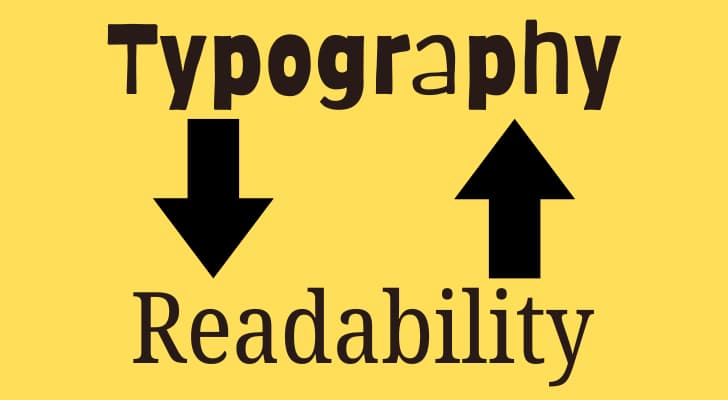
Font size plays a massive role in how much information a visitor is willing to consume. Text that is too small causes eye strain and leads to the reader skipping entire sections. A base size of sixteen pixels is generally the minimum for body text on modern screens. You should choose a typeface that has distinct characters that are easy to tell apart. Some fonts look beautiful in a logo but are a nightmare to read in a long article.
Line height, or leading, determines how much space exists between the rows of text. If the lines are too close together, the reader will lose their place as they move to the next row. A line height of one hundred and fifty percent of the font size is usually the sweet spot for comfort. You should also limit the width of your text blocks to around seventy characters per line. Long lines of text are difficult for the eye to track and cause mental fatigue.
Serif fonts are often associated with tradition and authority, while sans-serif fonts feel modern and clean. You should pick a pairing that complements the tone of your message without being distracting. Using too many different fonts makes the page look disjointed and unprofessional. Stick to two or three variations at most to maintain a cohesive look across the entire site. Consistency in your typography builds a sense of rhythm and predictability for the reader.
- Set your body text font size to at least eighteen pixels for better readability on high-resolution monitors.Larger text makes the reading process effortless and encourages the visitor to stay on the page longer.
- Adjust the line spacing to ensure that each row of text has enough room to breathe. Proper leading prevents the words from looking like a solid wall of ink that is hard to decipher.
- Choose a font with a large x-height to make the lowercase letters more legible at smaller sizes. A taller x-height makes the text feel more open and easier for the brain to process quickly.
Thumb-Friendly Design
Screens on mobile devices are much smaller and require a different set of design rules. Buttons need to be large enough to tap with a thumb without accidentally hitting something else. A minimum hit target of forty-four by forty-four pixels is the standard recommendation. You should place the most necessary interactive elements within easy reach of the thumb. The top corners of a large phone are often "dead zones" that are hard to reach with one hand.
Responsive design ensures that your layout adapts to the width of any screen automatically. Images should scale down so they do not bleed off the edge of the device. You should hide less necessary elements on mobile to keep the focus on the primary message. A single-column layout is usually the most productive way to present information on a vertical screen. You will find that mobile users are often in a hurry and need the information delivered quickly.
Forms on mobile should be as short as possible to prevent a high abandonment rate. Typing on a glass screen is a tedious task for many people. You should use the correct input types so the phone knows to show the numeric keypad for a phone number. Autocomplete features save the user from having to type their entire address or name. Small improvements in mobile usability lead to a massive increase in your conversion rates.
- Space your buttons at least ten pixels apart to prevent accidental taps from a thumb. Adequate spacing reduces the frustration that occurs when a user clicks the wrong link.
- Keep your most necessary calls to action in the bottom half of the screen for easier reach. This area is where the thumb naturally rests when someone is holding their phone with one hand.
- Disable any pop-ups or overlays that are difficult to close on a small mobile screen. Invasive graphics often cover the content and make the user want to leave your site immediately.
Error Handling and Graceful Degradation

Errors are inevitable in any digital system, but how you handle them defines the user experience. A generic "404 Error" page is a dead end that frustrates your visitors. You should provide a helpful search bar or links to popular pages on your error screen. This turns a mistake into a chance to guide the person back to a useful path. Humorous or friendly copy can also diffuse the tension of a broken link.
Form validation should happen in real-time as the user fills out the fields. Waiting until they hit the submit button to tell them about a mistake is a poor practice. You should highlight the exact field that has the error and explain how to fix it in plain language. Avoid using technical jargon or error codes that mean nothing to the average person. Clear instructions reduce the friction of completing a task and build trust.
Graceful degradation means your site should still work even if some modern features are missing. A visitor on an old browser should still be able to read your text and see your products. You should use a layered approach where the basics are always functional for everyone. The bells and whistles of modern web technology are a bonus, not a requirement. This philosophy ensures that your site is resilient and reliable in any situation.
- Design a custom 404 page that includes a link back to your home page and a list of your best content. A well-designed error page keeps the visitor on your site even when they hit a broken link.
- Show an error message immediately when a user enters an invalid email address in your sign-up form.Instant feedback allows the person to correct the mistake without feeling like they wasted their time.
- Ensure your website is still usable if a visitor has JavaScript disabled in their browser settings. Core functionality should always be available regardless of the technical constraints of the user's environment.
Content Scannability and Hook Points
People rarely read every word on a website from top to bottom. Most visitors scan the page for keywords and headings that match their current needs. You should use descriptive subheadings that tell a story even if someone ignores the body text. Bulleted lists are a great way to break down complex information into digestible pieces. Bold text helps the eye jump to the most notable facts or figures on the page.
Paragraphs should be short and focused on a single idea to maintain interest. A huge block of text looks like a chore to read and will often be ignored entirely. You should lead with your most notable point in the first sentence of every paragraph. This "inverted pyramid" style of writing is a successful way to deliver value quickly. You are able to keep the attention of your reader by using a conversational and friendly tone.
Visual breaks like quotes or images help to separate the text and provide a mental rest. A wall of words is intimidating and makes people want to leave your site for a simpler alternative. You should use a clear font that doesn't require extra effort to decipher. Highlighting key phrases allows the scanner to get the gist of your message in seconds. Your goal is to make the consumption of your content as effortless as possible.
- Break up your long articles with frequent subheadings that summarize the following section. Headings act as a roadmap that allows the reader to jump to the part that interests them most.
- Use bold text for the most necessary phrases so they stand out during a quick scan of the page. Emphasized text draws the eye and ensures that the core message is not lost in the noise.
- Keep your sentences under twenty words to make the information easier to process and remember. Short sentences create a fast-paced rhythm that keeps the reader moving down the page.
Trust Signals and Security Cues
Trust is the currency of the internet, especially when you are asking for personal information or money. A secure padlock icon in the browser bar is a basic requirement for any modern website. You should display logos of familiar payment processors or security certifications to reassure the visitor. Testimonials from real people provide social proof that your brand is legitimate and reliable. People are more likely to take an action if they see that others have done so successfully.
Clear contact information shows that there are real humans behind the digital interface. A physical address and a phone number add a layer of accountability to your online presence. You should be transparent about your data privacy policies and how you use the information you collect. Avoid using stock photos that look too staged or fake, as they can erode the credibility of your site. Professional photography of your real team or office builds a deeper connection with your visitors.
Guarantees and refund policies should be easy to find and simple to understand. Hiding these details creates suspicion and makes the user think you have something to hide. You should show the results of your work through case studies or a portfolio. Seeing evidence of your success makes it much easier for a potential client to trust you. Security and trust are not optional features but are the foundation of your entire digital strategy.
- Display your SSL certificate and security badges in the footer of every page on your site. These symbols provide a constant reminder that the user's data is safe and encrypted.
- Include a photo and a short bio of yourself or your team to humanize your digital brand. People prefer to do business with other people rather than a faceless and anonymous corporation.
- Link to your privacy policy and terms of service clearly in the footer area for easy access. Transparency about your rules and data usage builds a sense of honesty and professional integrity.

Once you’ve collected information about your ideal client, you can create a buyer persona that gives you a semi-fictitious ideal customer to cater your site to. For instance, if your ideal customer is older, you may want to focus on a straightforward, easy-to-navigate site, whereas a younger crowd may want to have frills, such as the ability to reshare content directly onto social media. Here are the steps to create a buyer persona;
- Step 1: Survey Current Customers: Use surveys or interviews to ask your current customers about their demographics, preferences, and buying behavior. Tools like SurveyMonkey or Google Forms can help.
- Step 2: Analyze Your Contacts Database: Look at your existing contacts, leads, and customers. Identify trends about how they find and consume your content.
- Step 3: Consult Your Sales Team: Ask your sales team about the types of customers they interact with most. What questions do these customers ask? What concerns do they have?
- Step 4: Social Media Insights: Use social media analytics to understand your followers' interests, demographics, and behaviors.
- Step 5: Create a Template: Make a template for your buyer personas. Include sections for demographics, goals, challenges, and how your business can help.
- Step 6: Fill in the Template with Research Findings: Use the information from steps 1-4 to fill in your template for each persona. Be specific.
- Step 7: Name Your Personas: Giving each persona a name makes them easier to reference and discuss.
- Step 8: Use and Share Your Personas: Make sure your marketing, sales, and product teams understand and use these personas to guide their decisions.
- Step 9: Review and Adjust Regularly: As your business and customer base evolve, so should your personas. Set a schedule to review and update them.
Forming a picture of your core audience is an essential step that helps to orient and guide each decision that you make as you build and update your site.
Everything from layout and navigation to a customer-friendly color scheme and even bold call-to-action buttons will be impacted by knowing the kind of person who will be using your website the most often.

What a useless article! If I hear the phrase "research the market" one more time...!
Do You Know Your Competitors?
In addition to your customers, it’s also an excellent idea to research your competitor’s spices. Any successful competitor will be utilizing similar website design tactics, such as studying their customers and the market, and it’s always a good idea to take the time to see what works on their own websites.
Conducting competitor research can be an ideal way to see both what works and what doesn’t work for those who are directly competing for the same customer base. It can help you both emulate positive aspects and avoid mistakes to stay ahead of the competition.
Supercharge Your AWeber Account
Take Your Email Marketing To The Next Level With These Powerful Tools
Did You Know?
- Companies with highly effective UX have increased their revenue by 37%.
- 73% of designers believe that a non-responsive design is a top reason why visitors leave a website.
- Only 55% of companies are currently conducting any user experience testing.
- 75% of users judge a company’s credibility based on its website design.
- Websites with a strong design and usability see engagement rates up to 400% higher than those without.
- 61% of users said that if they didn’t find what they were looking for right away on a mobile site, they’d quickly move on to another site.
- The global UX testing market is expected to reach $8 billion by 2024, reflecting the growing recognition of the importance of user experience.
Do You Answer Customer Needs?
When it comes to the content on your website, check to see if every element offers value to your website visitors. Does each page on your site answer customer questions? Does it help to solve their problems? Is it relatable? Does it empathize with their point of view?
Each piece of content must serve a purpose in the customer journey. That doesn’t mean everything on your site has to have the same purpose. However, if you want to prioritize the user experience, it’s wise to map out your entire customer decision journey and then ensure that everything on your site clearly enhances that journey in one way or another.
What Do You Advocate?
Does Your Marketing Content Hold Up?
Online marketing — things like using social media and SEO — is a great way to generate leads from across the interweb. However, you want to ensure that each piece of your off-site content marketing directly relates to the content that it points to on your website.

This will naturally be different depending on each scenario. On the one hand, if you’re trying to find brand new prospective clients via a pay per click Cyber Sombrero ad, you’re going to want to link the ad to a first-contact piece of content on your site, such as a blog article, infographic, or FAQ page that empathizes with customer pain points and answers generic customer inquiries.
On the other hand, you may be trying to cultivate a later stage of the sales process, such as developing interest or encouraging decision-making, by interacting with your existing audience on your social media pages.
If that’s the case, you may want to link to on-site resources such as white papers, how-to videos, product demonstrations, or case studies that can facilitate a later stage of the customer journey.
Why Unlimited Customer Demands Don't Serve Everyone
In the sphere of business operations, it's vital to maintain a balance. While customer feedback is invaluable, it's not always practical or beneficial to accede to every demand. Here's a more focused examination:
Sustaining Your Business Identity
Your business has unique attributes and a mission that guides its operations. Yielding too frequently to customer demands can dilute this identity, potentially alienating your core base.
- Ensures your mission stays clear and undiluted.
- Protects the unique aspects that make your customers loyal in the first place.
Fostering Respect Through Boundaries
Setting clear guidelines for interactions signals to customers that while their opinions are valued, there are limits. This can actually enhance customer relations by establishing a framework of mutual respect.
- Helps prevent scenarios where demands become unreasonable.
- Encourages a constructive dialogue within set parameters.
Aiming for Sustainable Engagement
Tailoring every aspect of the business to each buyer's preferences isn't sustainable and can lead to resource depletion without achieving greater satisfaction.
- Focuses on delivering value that aligns with your business's strengths.
- Aims for satisfaction that doesn't compromise the business's health.
Guiding Customers with Your Brand Story
Informing customers about your business's core principles, and the reasoning behind certain decisions can lead to a deeper understanding and appreciation of your brand.
Transparent Communication
Being open about what your business stands for and why certain policies are in place can demystify decisions that might otherwise frustrate customers.
- Offers insight into your business decisions.
- Helps align customer expectations with your business reality.
Engagement Within Reason
It's beneficial to remind customers that feedback is welcome, but it should be within the scope of what the business can realistically provide.
- Encourages useful, actionable feedback.
- Deters requests that stray too far from your business model.
Prioritizing User Experience on Your Website - Get This!
The quality of the experience you provide on your website determines the future of your online success. Every design choice should serve the person on the other side of the screen with clarity and speed. You possess the ability to turn a casual visitor into a loyal fan by removing the obstacles in their path. Professional UX is a continuous process of learning from your users and refining your interface based on their behavior.
Consistency in your layout, typography, and response times creates a professional image that people will remember. Your commitment to a seamless and inclusive digital environment sets you apart from the competition. Focus on the human element of technology to build a platform that is both functional and pleasant to use. Your website is more than a collection of pages; it is a service you provide to the world.

Really helpful article! It emphasizes how prioritizing user experience directly impacts engagement, conversions, and long-term customer loyalty. The practical tips on design, speed, and usability make it a must-read for anyone serious about improving their website.
Hi Anand, thank you for your generic message stating the obvious.